


Backed by us. Trusted by you.
Victory isn't given. It's earned.
We build our own instruments and carry the pro audio and video brands we trust, for everyone from first-timers to working pros, from your garage to the big stage. Started in 2017.
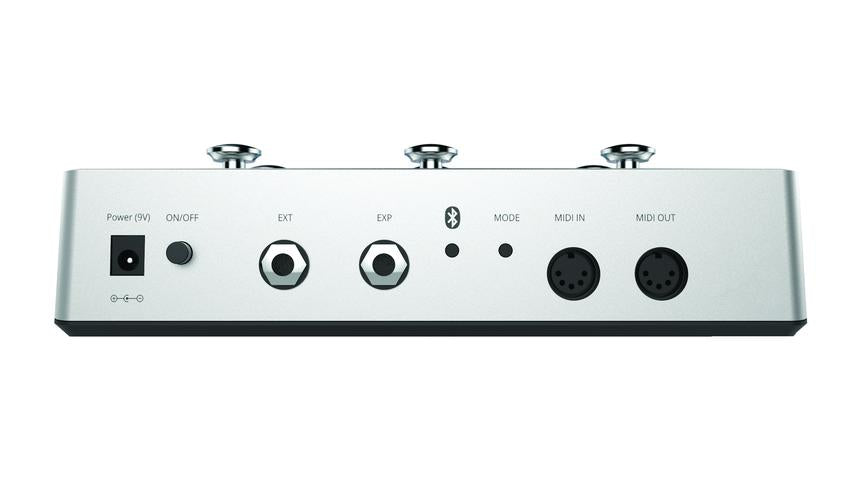
MIDI Maestro is a MIDI foot controller with built-in screens and a mobile app for customising it on the fly. It ships with a BeatBuddy mode working out of the box, giving hands-free content control, out-of-order song part selection, and everything else you would otherwise crouch down to the pedal to do.
Screens on a foot controller, so you know what the button does before you step on it.
Every MIDI footswitch has the same problem: the buttons are unlabelled, or labelled once with tape, and the assignment changes depending on what you are controlling. Halfway through a set nobody remembers what switch four does.
The MIDI Maestro puts a screen above each switch showing its current function. Change the assignment and the label changes with it. A mobile app handles reassignment on the fly rather than requiring a laptop.
It was built specifically for the BeatBuddy, and the BeatBuddy mode works immediately with no setup. That means changing songs without bending down mid-show, choosing song parts out of order rather than moving through them linearly, and triggering content hands-free. It also speaks standard MIDI, so it controls other gear.
At a Glance
| Brand | Singular Sound |
|---|---|
| Model | MIDI Maestro |
| Type | MIDI foot controller |
| Displays | Built-in screen per switch |
| Configuration | Mobile app, on the fly |
| Preset mode | BeatBuddy mode, works out of the box |
| Compatibility | BeatBuddy plus standard MIDI devices |
| Dimensions | 11.25 x 6.25 x 3 in |
| Warranty | Singular Sound limited warranty |
Why Does a Foot Controller Need Screens?
Because switch assignments change depending on what you are controlling, and unlabelled buttons become guesswork mid-performance. A screen above each switch shows its current function and updates when the assignment changes.
Does It Only Work With the BeatBuddy?
It was built for the BeatBuddy and ships with a BeatBuddy mode that works with no setup, but it sends standard MIDI, so it controls other MIDI-capable gear as well.
What Does It Add to a BeatBuddy Setup?
Hands-free content control so you never bend down mid-show, and the ability to select song parts out of order rather than moving through an arrangement linearly.
How Do I Reconfigure It?
Through the mobile app, which reassigns switches on the fly. There is no need to connect a laptop or edit files.
Why Singular Sound
Singular Sound started with a single idea: put a real drummer's timing and phrasing into a stompbox a solo player can operate with one foot. The original BeatBuddy was funded on Kickstarter in 2014 and the company has stayed narrow since, building the BeatBuddy line, the Aeros looper, the MIDI Maestro and the SuperSwitch as one connected system rather than a scattered catalogue. The products sync to each other over MIDI and share a content library, which is why solo performers and worship musicians tend to end up with more than one of them.